Kinex Medical Company understands that medical billing can be confusing and often comes at confusing times in our lives. For this reason, we've implemented digital payment solutions to help provide our patients with timely bill-pay opportunities and up-to-date balance tracking.
By signing your delivery ticket and accepting your prescribed Kinex product, you have opted in to receive a text message billing notification. The link in this text message will connect you with our billing website.
No paper billing/statements will be mailed to you unless you request them by calling Kinex at 800-845-6364.
Below, you will find an overview of our billing experience. If you have questions along the way, or to request paper billing, call 800-845-6364.
Follow the message link to:
- MAKE A PAYMENT, or
- ACCESS YOUR ACCOUNT

Under "MAKE A PAYMENT", you may either PAY YOUR BALANCE IN FULL, or MAKE A PARTIAL PAYMENT by credit card or ACH withdrawal.
By selecting "ACCESS MY ACCOUNT", you will be required to provide additional personal information to confirm your identity, and you will be issued a one-time security PIN to access your account.

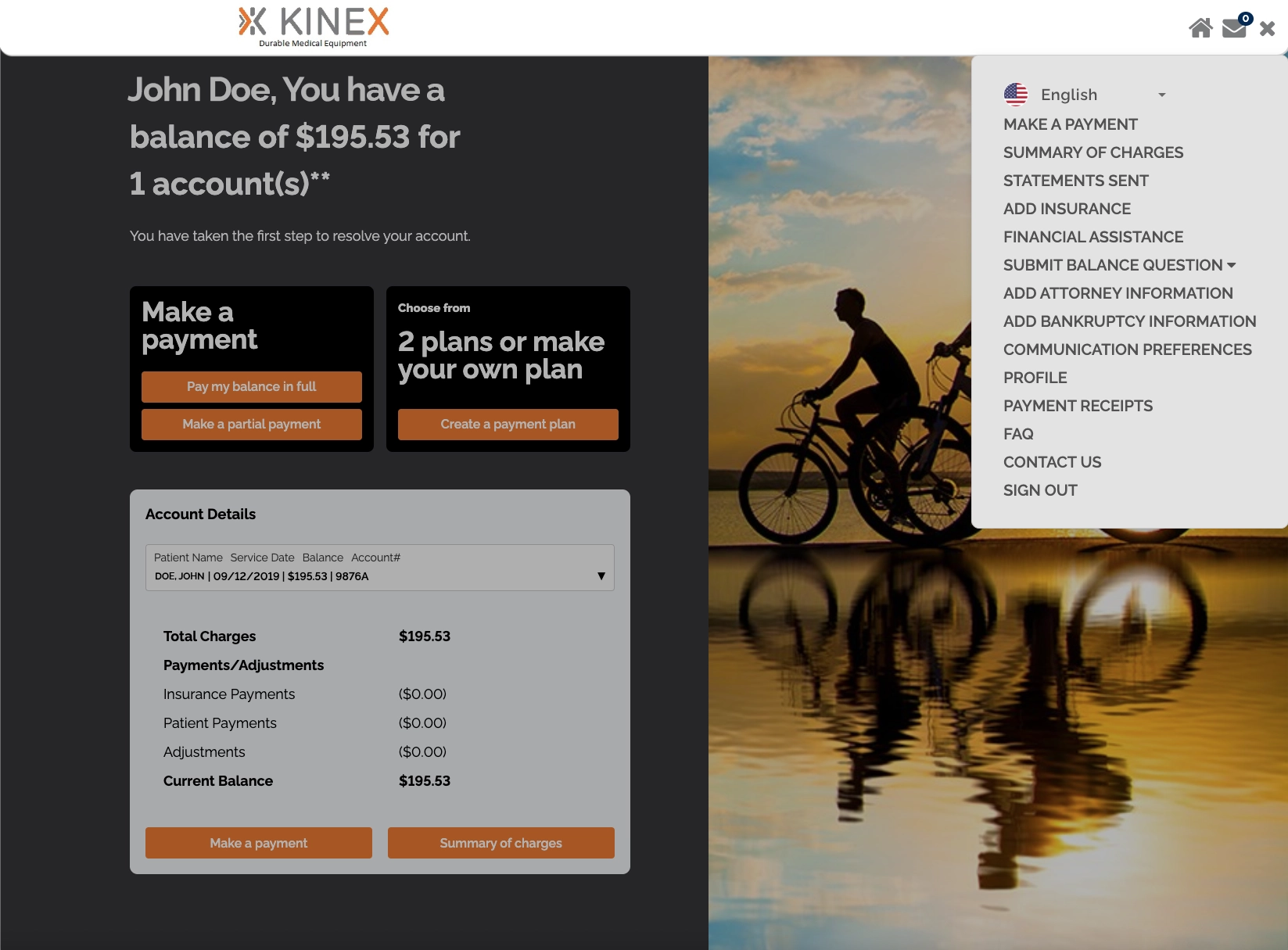
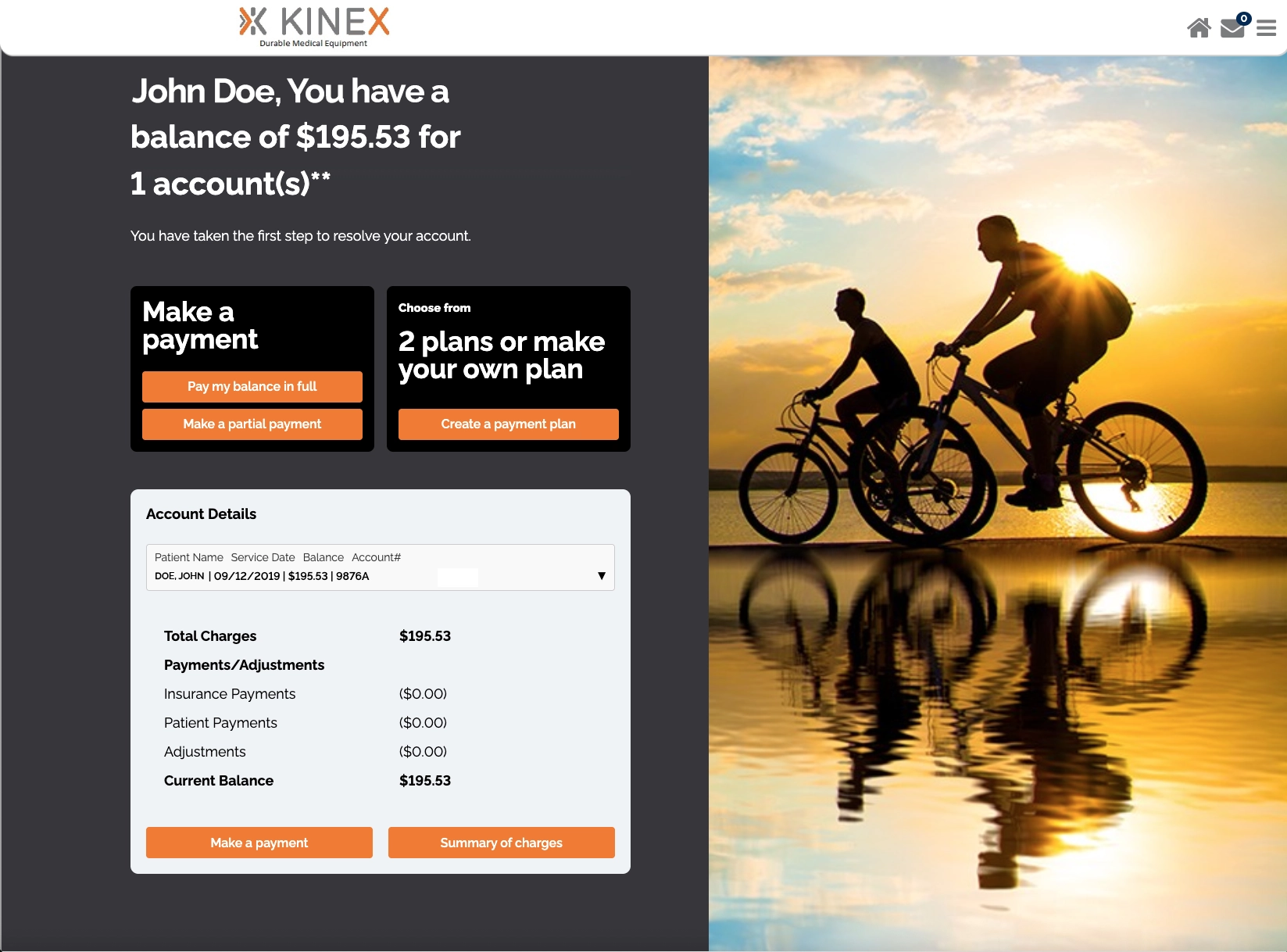
After confirming your identity and logging in with your PIN, you are directed to an ACCOUNT DETAILS page to take actions such as:
- MAKE PAYMENT(S)
- SET UP A PAYMENT PLAN
- TRACK YOUR ACCOUNT BALANCE
On your Account Details page, UNDER THE MENU, you'll find additional links to:
- Make Payments,
- View a Summary of Charges,
- Add Insurance Information,
- Apply for Financial Assistance,
- Submit Billing Questions,
- Review FAQs, & More